How to Install Shaders in Minecraft Java (Iris Guide 2026)
How to install shaders in Minecraft Java Edition with Iris: the mod you need, the shaderpacks folder, the best shader packs and how to keep good FPS.
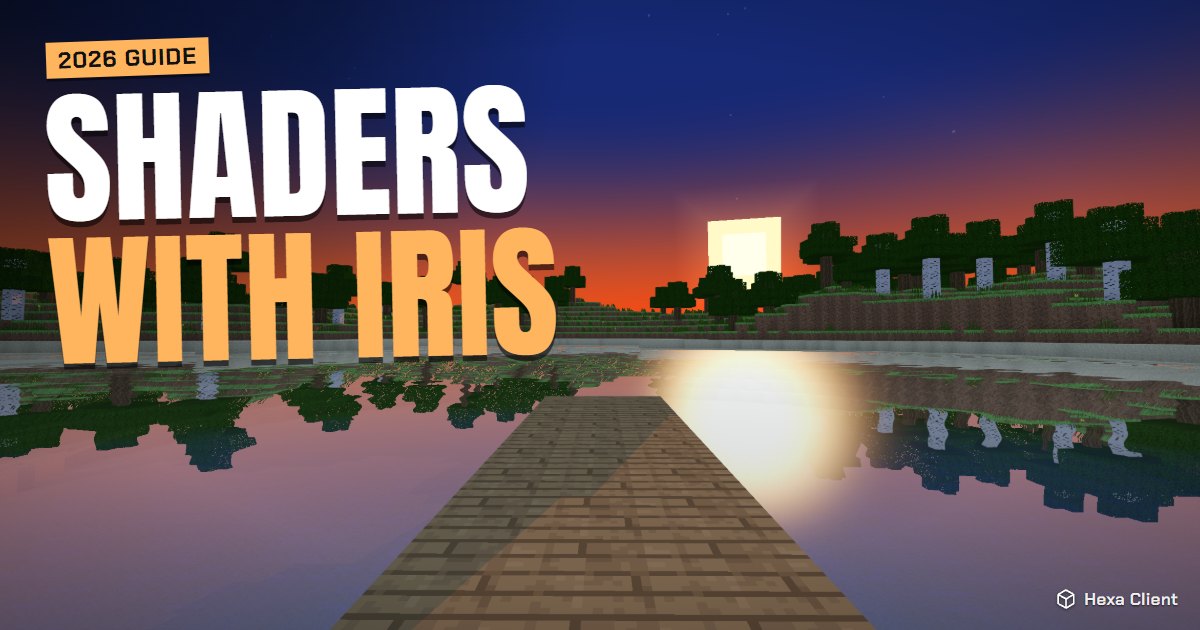
Shaders turn Minecraft into a different game: real shadows, golden sunsets, reflections in the water and leaves that sway in the wind. Vanilla Minecraft Java cannot load them on its own, so you need one free mod first. This guide shows how to install shaders in Minecraft the modern way, with Iris, plus the best packs for strong and weak computers.
What you need
- Minecraft: Java Edition (shaders do not work like this on Bedrock).
- Iris Shaders, a free mod that loads shader packs. It works with Sodium, so you keep the FPS boost.
- A shader pack: a .zip file with the shader itself.
Step 1: install Iris
The easy way: Hexa Client
Hexa Client already includes Iris and Sodium for every modern version, set up and updated for you. Skip to step 2.
By hand
- Download the Iris Installer from irisshaders.dev.
- Open it, pick your Minecraft version and choose Iris Install (it also installs Sodium and Fabric).
- Start Minecraft with the new Iris & Sodium profile in the official launcher.
Step 2: download a shader pack
Get shader packs from Modrinth or CurseForge. Like texture packs, a shader pack is a .zip file; never open an .exe that says it is a shader.
| Shader pack | Best for |
|---|---|
| Complementary Shaders | The best all-rounder: beautiful and well optimized. |
| BSL Shaders | Bright, colourful and very customizable. |
| MakeUp Ultra Fast | Weak PCs and laptops: shaders at a much lower cost. |
| Sildur's Vibrant | Many quality levels, from Lite to Extreme. |
Step 3: put it in the shaderpacks folder
- In game, open Options → Video Settings → Shader Packs.
- Press Open Shader Pack Folder.
- Drag the .zip into the folder. Do not unzip it.
In Hexa Client you can also open the Shaders page in the launcher, search Modrinth and install a pack with one click.
Step 4: turn it on
- Back on the Shader Packs screen, click the pack you added.
- Press Apply. The first load takes a few seconds while the shader compiles.
- Press Done and look at a sunset.
With Iris, press K in game to switch shaders on and off instantly, and O to open the shader pack screen.
Keep good FPS with shaders
Shaders are the heaviest thing you can add to Minecraft. To keep the game smooth:
- Lower the render distance to 8–10: shadows are drawn for everything you see.
- In the shader's own settings (the Shader Pack Settings button), lower the shadow quality and turn off volumetric clouds first.
- Use a lighter profile of the pack: most packs have Low, Medium and High.
- On integrated graphics, try MakeUp Ultra Fast, or skip shaders and use a nice texture pack instead.
Our guide on how to get more FPS in Minecraft has more tricks, and how to install texture packs shows how to combine both.
Frequently asked questions
Do shaders work on any PC?
They need a decent graphics card. A dedicated NVIDIA or AMD card runs most packs well; integrated graphics can run light packs like MakeUp Ultra Fast at low settings.
Do I need OptiFine for shaders?
No. Iris loads the same shader packs, is faster with Sodium and supports the newest versions sooner.
Can I use shaders on servers?
Yes. Shaders only change what you see on your screen, so they work on any server.
Why is my screen black or white with shaders?
The pack does not support your graphics driver or Minecraft version. Update your graphics driver, use the newest version of the pack, or try another pack.