Minecraft Java System Requirements (Minimum and Recommended)
Minecraft Java system requirements for Windows, Mac and Linux: minimum and recommended specs, the Java and OpenGL each version needs, and what runs it well.
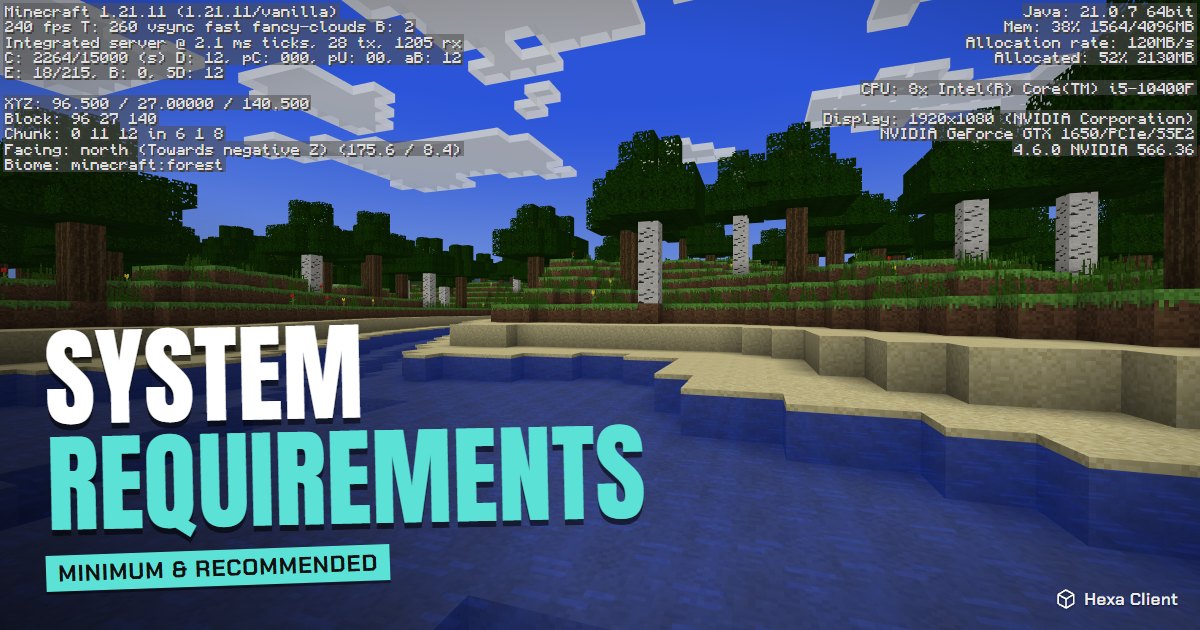
Can your computer run Minecraft? Probably yes: Minecraft: Java Edition runs on most PCs and Macs from the last ten years. Here are the Minecraft Java system requirements, what each Minecraft version needs, and what actually runs it well in practice.
Minimum requirements
| Part | Minimum |
|---|---|
| Processor | Intel Core i3-3210 or AMD A8-7600 APU (or similar) |
| Memory | 4 GB RAM |
| Graphics | Intel HD Graphics 4000 or AMD Radeon R5 series, with OpenGL 4.4 |
| Storage | About 1 GB for the game, plus your worlds |
| System | Windows 10 or 11, macOS, or a modern 64-bit Linux |
| Internet | To download the game and sign in the first time |
With the minimum, expect 30–60 FPS at a short render distance in vanilla. With performance mods, much more.
Recommended requirements
| Part | Recommended |
|---|---|
| Processor | Intel Core i5-4690 or AMD A10-7800 (or newer) |
| Memory | 8 GB RAM |
| Graphics | NVIDIA GeForce 700 series or AMD Radeon R7 200 series, with OpenGL 4.5 |
| Storage | 4 GB on an SSD |
The recommended specs give a smooth game at normal render distances, light shaders and bigger texture packs.
What each Minecraft version needs
Minecraft has grown heavier over the years, and newer versions ask for newer Java and graphics:
| Versions | Java | Graphics |
|---|---|---|
| 1.8.9 to 1.16.5 | Java 8 | Very old cards work |
| 1.17 | Java 16 | OpenGL 3.2 or newer |
| 1.18 to 1.20.4 | Java 17 | OpenGL 3.2 or newer |
| 1.20.5 to 1.21.x | Java 21 | OpenGL 3.2 or newer |
| The newest releases | Java 25 | OpenGL 3.2 or newer |
You do not install Java yourself: the official launcher and Hexa Client bring the right one for each version.
Mac and Linux
- Mac with Apple silicon (M1, M2, M3, M4): Minecraft 1.19 and later run natively and very fast. Older versions run through Rosetta 2, which macOS installs when needed.
- Intel Macs: run every version; integrated Intel graphics behave like on Windows laptops.
- Linux: Minecraft Java runs on any modern 64-bit distribution with up-to-date graphics drivers.
What really runs Minecraft well
Specs are only half of the story. A 4 GB laptop with integrated graphics can run Minecraft at a steady 60 FPS with:
- Performance mods like Sodium, Lithium and FerriteCore, which often double the frame rate.
- A render distance of 6 to 10 chunks.
- 2 to 3 GB of RAM for the game, never more than half of the computer's memory.
Hexa Client checks your RAM and graphics card when you install it, picks settings for your PC and installs those mods for you. For more tips, read Minecraft on a low-end PC and how to get more FPS in Minecraft.
Frequently asked questions
Can Minecraft run on 4 GB of RAM?
Yes. Give the game about 2 GB and use performance mods; most 4 GB computers run it at 40–60 FPS or more.
Does Minecraft need a graphics card?
No dedicated card is needed. Integrated graphics like Intel HD 4000 or newer, Intel Iris Xe and AMD Radeon Vega run it well with the right settings.
Do I need to install Java to play Minecraft?
No. The launcher brings the right Java version for every Minecraft version.
Will Minecraft run on a Chromebook?
Minecraft: Java Edition is not officially supported on ChromeOS. Some Chromebooks can run it through Linux, but performance is usually low.